
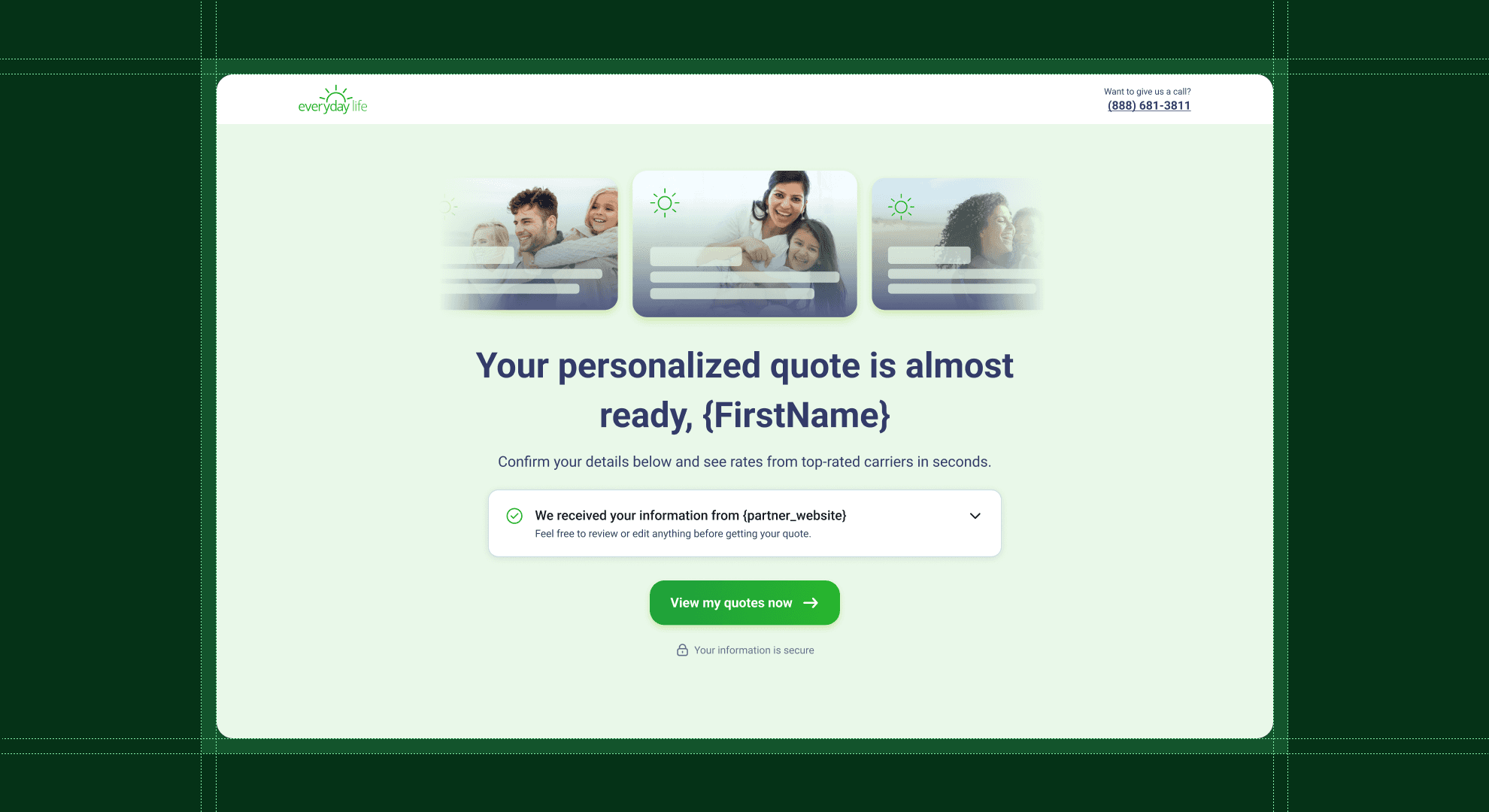
Everyday Life Insurance: Intelligent Landing Page
Designed a data-aware landing page experience that eliminates redundant form-filling for insurance leads by intelligently adapting to each user's data completeness level.
Overview
Everyday Life Insurance was losing conversions at the landing page. Users arrived from partner sites like insure.com after spending 15 minutes filling out detailed forms—only to be asked for all the same information again. The disconnect was killing trust and conversion rates.
I led the UX strategy and design for an intelligent landing page system that adapts to incoming user data, creating five distinct personalized journeys that only ask for what's actually missing. The result: a design system that respects user time and delivers the right experience based on data completeness.
UX/UI Designer
4 weeks
The Problem
- Form Fatigue: Users spent 10-15 minutes completing an 8-step form on insure.com, then landed on our page and saw… another blank form. Conversion dropped by 60%.
- One-Size-Fits-All: The existing flow treated every user the same, whether they arrived with complete data or nothing at all. No personalization, no intelligence.
- Competitor Failure: Research showed competitors like Ethos made the same mistake—completely ignoring data users had already provided. This was a clear opportunity to differentiate.
The Solution
Use Case Classification System
Instead of a single linear flow, I designed five distinct user journeys based on data completeness: Complete Data (VIP path with under 2 min flow), High-Data (2-3 questions), Medium-Data (5-6 questions), Low-Data (full collection), and No-Data (educational entry).
Each use case has its own carefully crafted messaging, visual design language, and expected completion time. I created a design system that allows the interface to automatically adapt its presentation based on user data completeness.
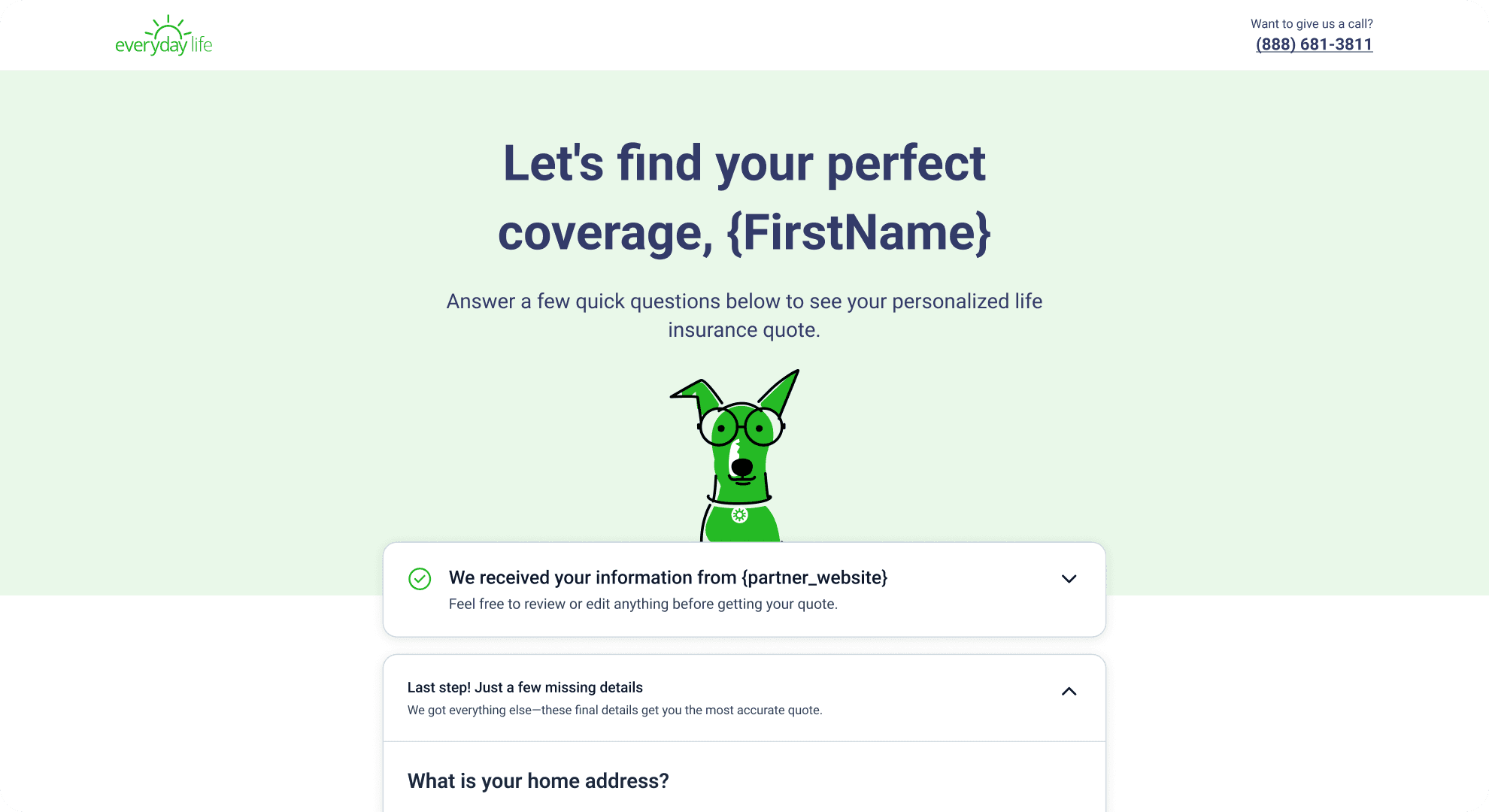
Intelligent Data Pre-Population
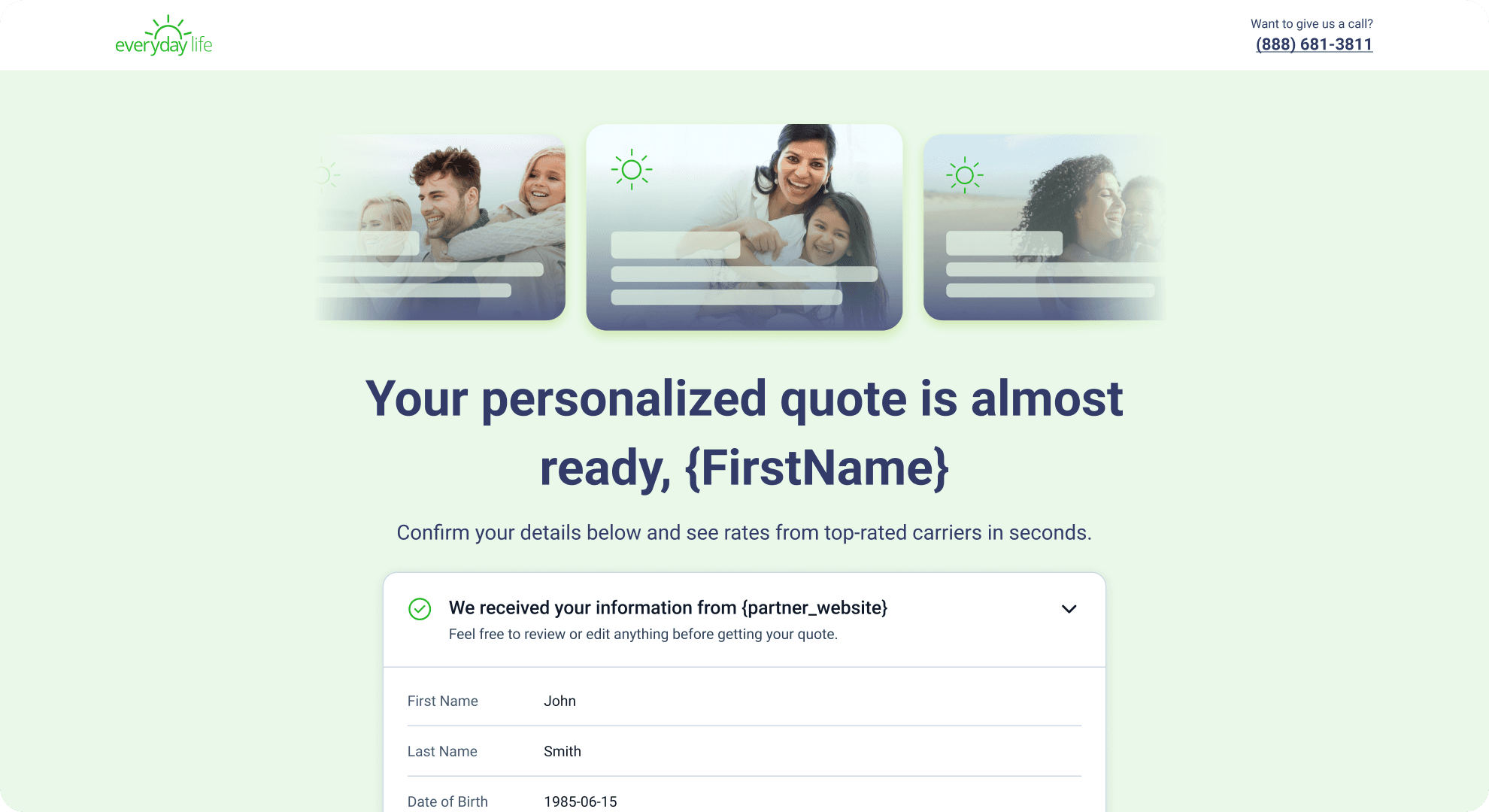
I designed the interface to receive and display data seamlessly. Users see a personalized welcome: "Welcome back, Sarah! We have your information from insure.com." Every field we already have is shown in context. The design focuses user attention only on what's actually missing.
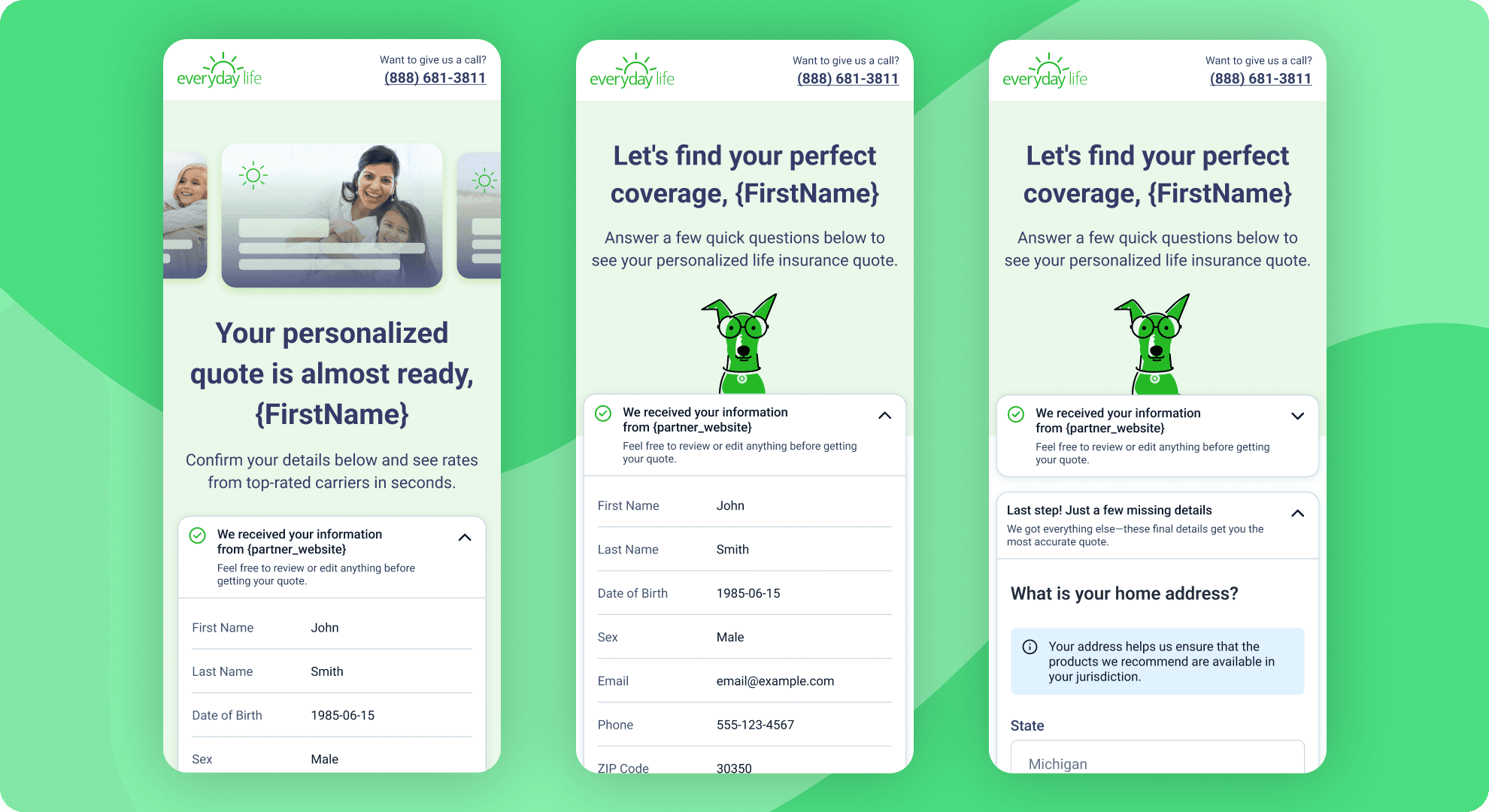
Progressive Disclosure Architecture
I organized questions by psychological impact: non-sensitive info first (name, contact), followed by health, financial, and finally legal questions. Each screen shows clear progress: "Step 2 of 4 • 2 minutes remaining."
The design system adapts its presentation based on data completeness. A user with 95% complete data sees a streamlined confirmation screen. A user with 50% data sees a focused 5-step journey with all known fields already visible and editable.
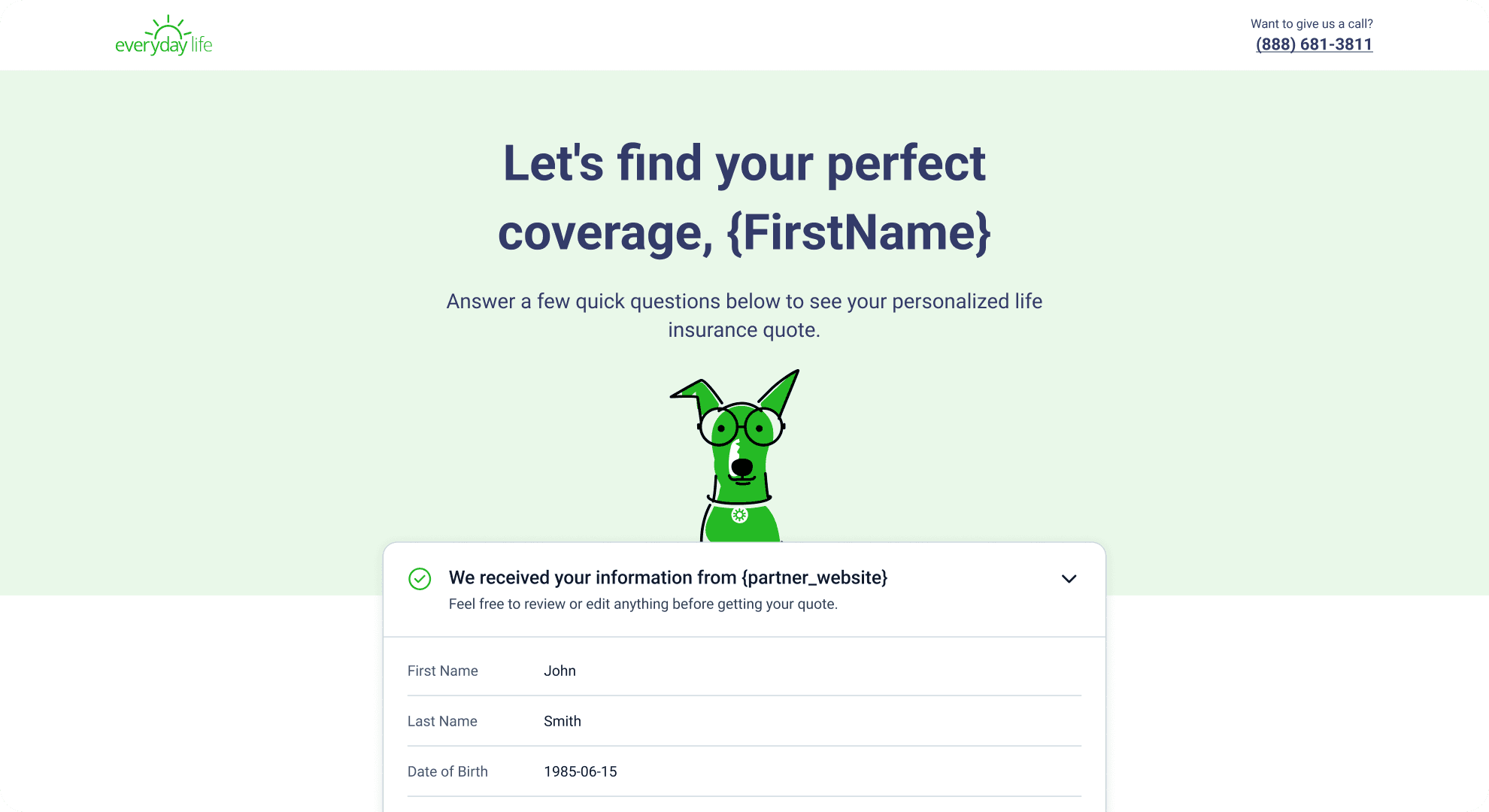
Key Decisions
Honoring User Investment
The core UX principle: never ask users to re-enter data they've already provided. I designed a visual system that prominently displays received data, making it instantly clear what information we already have and building trust through transparency.
Use Case Over Linear Flow
Instead of a one-size-fits-all form, I designed five distinct user experiences tailored to data completeness. A complete-data user sees a streamlined 90-second confirmation flow. A partial-data user gets a focused gap-filling journey. Each with its own messaging and visual treatment.
Interactive Prototype as Design Tool
I built an interactive React prototype with a use case switcher that lets stakeholders instantly toggle between all five experiences. This transformed design reviews from static mockup critiques into dynamic experience walkthroughs—validating patterns and copy before engineering began.
The Results
- Respect for Time: The design reduced completion time to under 2 minutes for complete-data users (down from 10+ minutes in the old flow).
- Adaptive Design System: Five distinct user experiences unified under one cohesive design language—each tailored to data completeness without feeling disjointed.
- Competitive Advantage: Competitors still force users to re-enter everything. This design positions Everyday Life as the only solution that visibly respects user time and data.
Takeaways
- Design for User Psychology: Users arriving from a 15-minute form are form-fatigued but high-intent. The design had to acknowledge this explicitly with personalized messaging: "We already have your info from insure.com—no need to start over." Visual hierarchy reinforced this with prominent data displays.
- Classification Over Customization: Instead of designing infinite variations, I classified users into five archetypal journeys based on data completeness. This gave us the benefits of personalization while maintaining a cohesive design system with reusable components.
- Interactive Prototypes Drive Better Decisions: Building a working prototype with a use case switcher transformed stakeholder conversations. Instead of debating static mockups, we clicked through actual experiences and made informed decisions about messaging, visual hierarchy, and flow priority.